Mojang Server Blacklist

Mojang Server Blacklist
Mojang maintains a blacklist of domains, once added to the list, you server will no longer be accessible to players. This guide will explain the steps to take to understand, and then appeal, Mojang's decision.
Did My Server Get Banned?
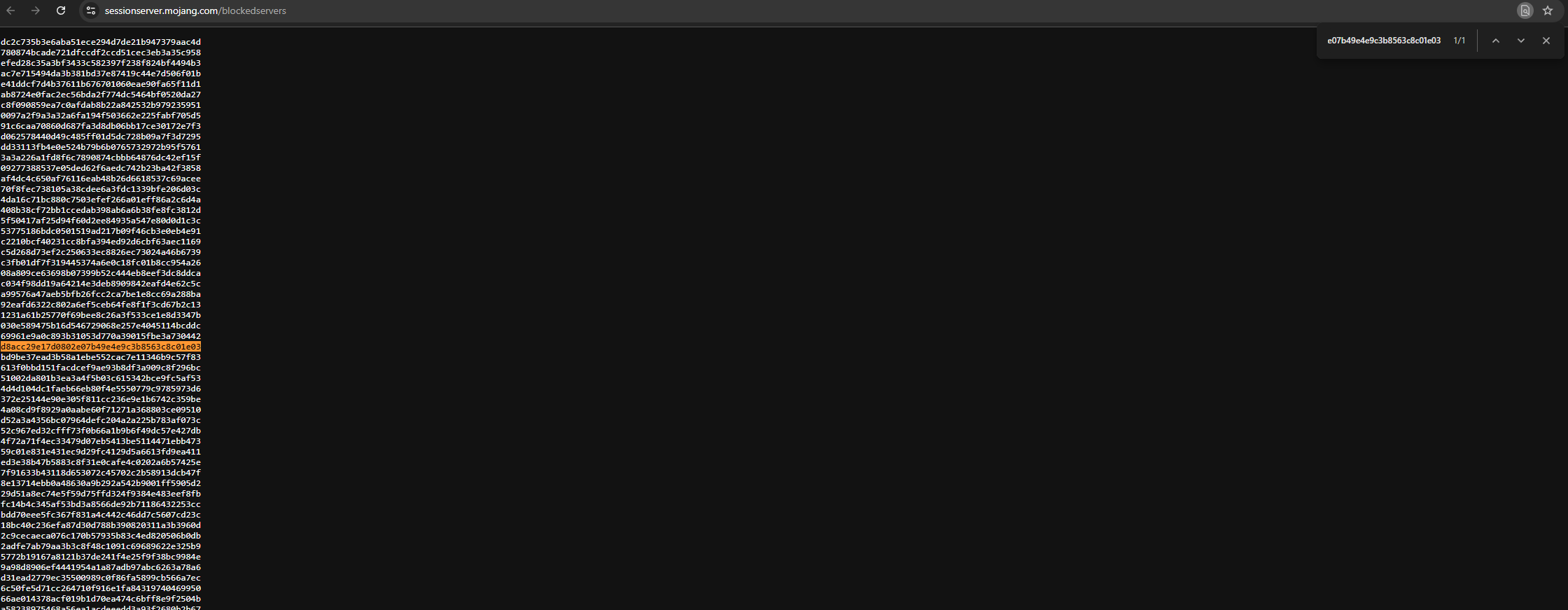
Mojang has a pretty useful site we can use to check: https://sessionserver.mojang.com/blockedservers
Within this site we'll find the SHA1 hash of the wildcard domain of the servers Mojang is currently blocking. We can use a website such as SHA-1 Online to get the hash of our domain. We want to check the wildcard domain, so for example if our server is using "minecraft.blockaventure.com" our wildcard domain will be "*.blockadventure.com". Once we have our hash rate we can simply look for a match on Mojang's website by using our trust CNTRL + F combo. If you find your SHA1 hash there, your server has been blocked.
Why Did Mojang Block My Server?
Do not try to avoid the block on your server by changing domains and/or IPs. Mojang is able to detect the change and will act quickly to ban your new address. Repeated offesnes might lead to service termination if requested by Mojang.
Mojang only blocks servers for not meeting their EULA. You should read their terms and make sure you have plans to address all points within. The most likely causes are: monetization, lack of moderation, and brand image misuse.
If you've identified a possible breach of their policy on your end, you should prepare your plan to meet their requirements before proceeding to the next step.
Appeal
Mojang provides an official appeal process. We can access the Appeal form from their Website. From here you need to select "Appeal Server" from the "Request Type" dropdown. Fill out the requested information, at the end of the form you can share your plan of action, or ask for further information.
There is no published ETA for responses.